
About Framer Export
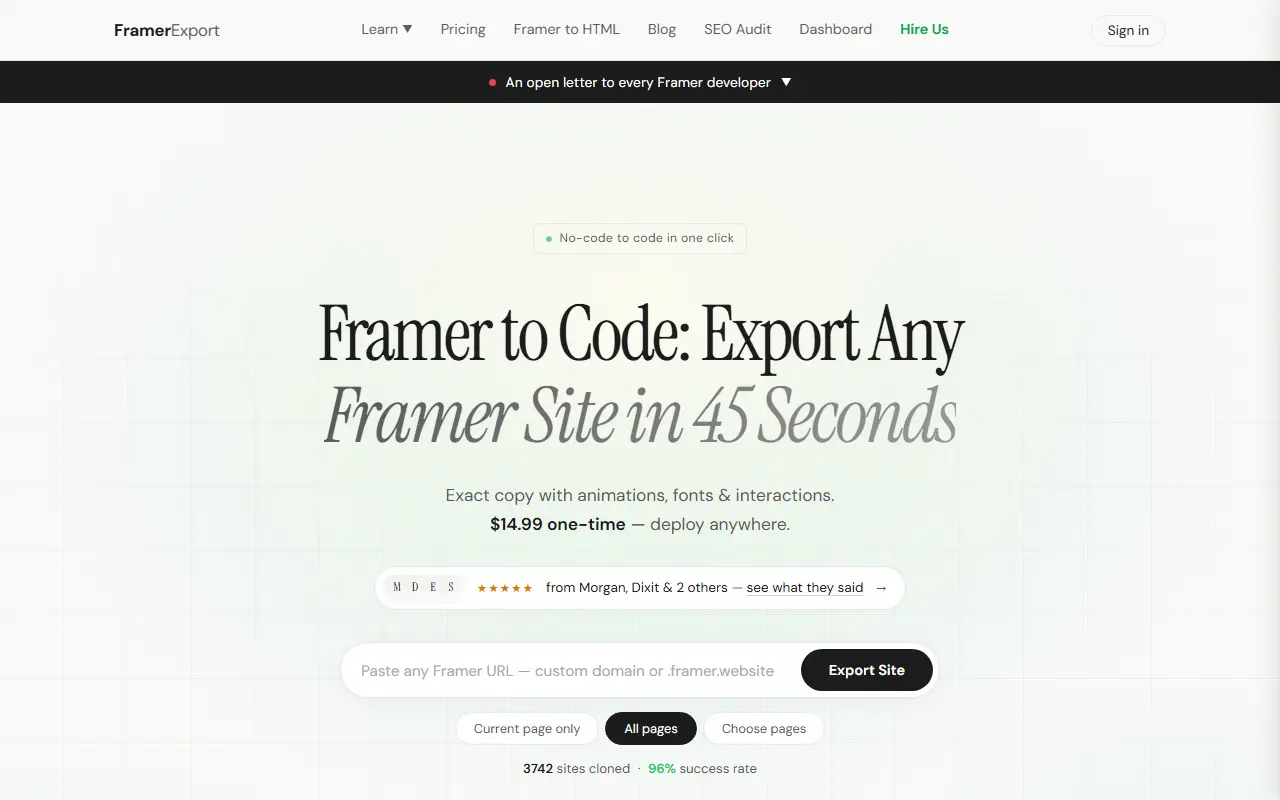
Framer Export converts a published Framer site into code. You enter the site address and choose the current page, all pages or specific pages, and the tool discovers routes, fetches pages, downloads assets and rewrites and packages the result in about 45 seconds. The exported HTML and CSS keep animations, fonts, images and interactions and can be opened in an AI code editor or deployed anywhere.
There are two purchase options. The basic export is $14.99 one-time for a working HTML, CSS and JavaScript copy delivered as a ZIP or pushed to GitHub. A $49 option adds a rebuild kit for moving to Astro, Next.js, Hugo or another framework, with Markdown content, SEO metadata, JSON-LD schemas, sitemap and robots files, font CSS, design tokens, an AI-ready README and a migration manifest. A done-for-you service will host the site, connect a domain and set up forms and analytics. The site notes some images may not load in preview because of the Framer CDN but are included in the download, and mentions a money-back guarantee.
Key features
- Export of any Framer site to HTML and CSS
- Choice of current page, all pages or selected pages
- Animations, fonts and images preserved
- ZIP download or push to GitHub
- Rebuild kit for Astro, Next.js and Hugo
- Done-for-you hosting service
Good fit for
- Leaving Framer hosting for your own server
- Rebuilding a Framer design in Next.js or Astro
Framer Export: questions and answers
- What is Framer Export used for?
- Framer Export is an exports a Framer site to clean, editable HTML, CSS and assets you can self-host, delivered as a ZIP or pushed to GitHub, for a one-time payment. It is a good fit for leaving Framer hosting for your own server and rebuilding a Framer design in Next.js or Astro.
- How much does Framer Export cost?
- Paid plans for Framer Export start at $25 as a one-time payment, and there is no free plan.
- Is Framer Export open source?
- No. Framer Export is proprietary (closed-source) software. In the Developer Tools category, open-source options include Visual Studio Code, Godot and Windows Terminal.
- Can I self-host Framer Export?
- Yes. Although Framer Export is closed source, it can be self-hosted on your own servers, and the vendor also offers a hosted version.
- What are some alternatives to Framer Export?
- Other SaaS products in the Developer Tools category include NoCodeExport, Framergenie and One Mint.
Open-source alternatives to Framer Export
See all
Visual Studio Code
Developer Tools
Visual Studio Code
MITvs Sublime Text★ 194k
Godot
Developer Tools
Godot Engine – Multi-platform 2D and 3D game engine
MITvs Unity★ 118k
Windows Terminal
Developer Tools
The new Windows Terminal and the original Windows console host, all in the same place!
MITvs Warp★ 105k
Neovim
Developer Tools
Vim-fork focused on extensibility and usability
OSSvs Sublime Text★ 103k
Zed
Developer Tools
Code at the speed of thought – Zed is a high-performance, multiplayer code editor from the
OSSvs Sublime Text★ 91k
code-server
Developer Tools
VS Code in the browser
MITvs Replit★ 80k
SaaS alternatives to Framer Export
See all
NoCodeExport
Developer Tools
Exports sites built with Framer, Webflow, Wix, Squarespace or WordPress to portable HTML, CSS and JS
SaaS
Framergenie
Developer Tools
Plug-and-play components that connect Framer projects to Supabase without coding
SaaS
One Mint
Developer Tools
NFT platform to generate, deploy and mint collections, with a storefront to sell them
SaaS
OpenPreview
Developer Tools
Generates dynamic OpenGraph images from one template, with a unique preview for every page
SaaS
PoopUp
Developer Tools
JavaScript plugin for sending push notifications
SaaS
Redirections
Developer Tools
Redirect rule management for developers and agencies, with CSV import and Nginx or HAProxy export
SaaS