
About ForgeVPS
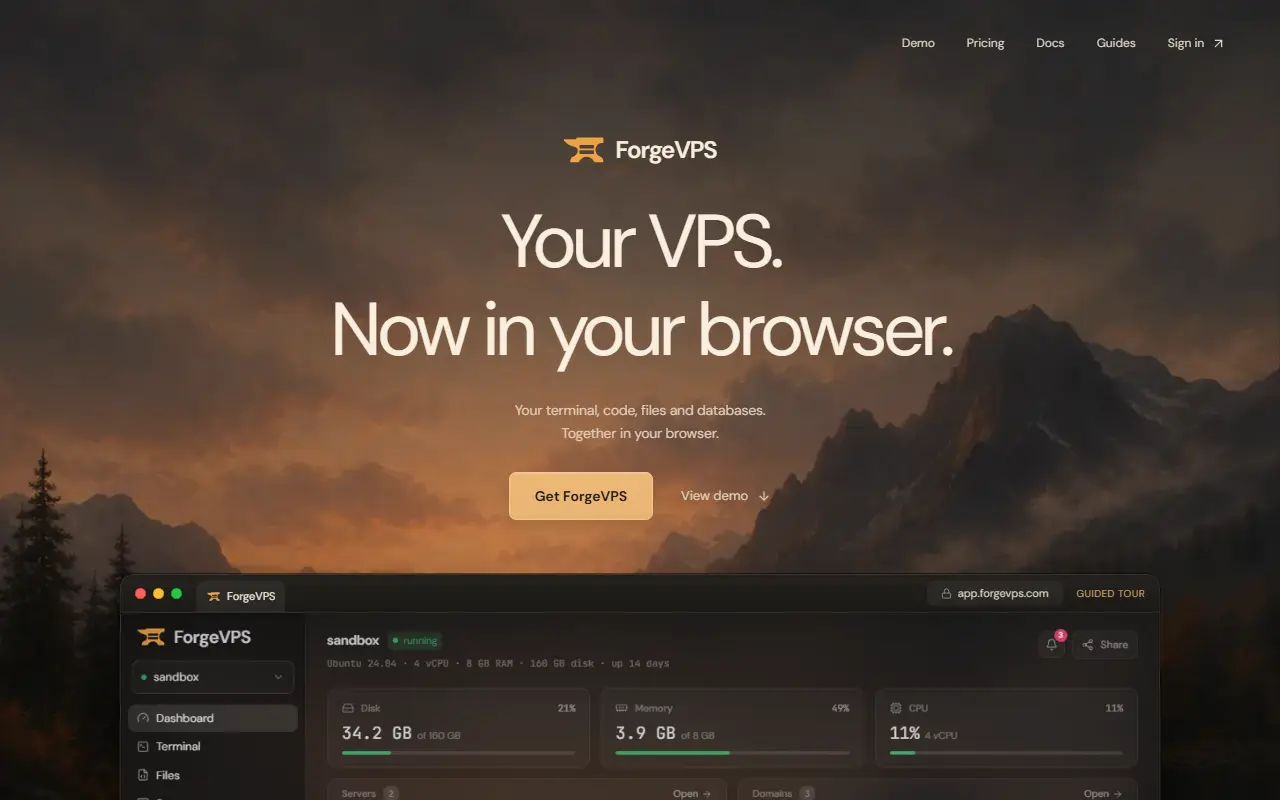
ForgeVPS gives a Linux VPS a browser interface. You run an install command on an Ubuntu or Debian server, approve the installation in your ForgeVPS account and open the HTTPS address it provides. The installer sets up Node.js and Git, PostgreSQL, Caddy with HTTPS, an app runner and a firewall, replacing an hour or more of manual setup.
The workspace includes a terminal with separate tabs for shell commands, Claude Code or Codex CLI, using your own AI account, a file browser and code editor that saves directly to the server, a PostgreSQL manager for creating databases, editing rows and making or downloading backups, and a deployment area that deploys from GitHub or hosts a static folder with logs, domains and HTTPS. The workspace also works on a phone.
Either plan covers hosted and self-hosted use, any number of machines and every feature. Pricing is $4.99 a month or a lifetime plan at $24.99, marked down from $49.99, and VPS hosting, domain names and paid AI subscriptions are billed separately.
Key features
- One-command installer for Ubuntu and Debian
- Browser SSH terminal with AI CLI tabs
- Code editor and file browser on the server
- PostgreSQL database and backup manager
- Deployment from GitHub or static folders
- Automatic HTTPS with Caddy
- Workspace usable from a phone
Good fit for
- Managing a cheap VPS without opening an SSH client
- Deploying a small app and its database from a browser
ForgeVPS: questions and answers
- What is ForgeVPS used for?
- ForgeVPS is a browser workspace for your own VPS with a terminal, code editor, file browser, PostgreSQL manager and one-click deployments, installed with a single command. It is a good fit for managing a cheap VPS without opening an SSH client, and deploying a small app and its database from a browser.
- How much does ForgeVPS cost?
- Paid plans for ForgeVPS start at $4.99 per month, and there is no free plan.
- Is ForgeVPS open source?
- No. ForgeVPS is proprietary (closed-source) software. In the Developer Tools category, open-source options include Coolify MCP, Visual Studio Code and Zed.
- Can I self-host ForgeVPS?
- Yes. Although ForgeVPS is closed source, it can be self-hosted on your own servers, and the vendor also offers a hosted version.
- What are some alternatives to ForgeVPS?
- ForgeVPS competes with Termius, Laravel Forge and Ploi.
Open-source alternatives to ForgeVPS
See all
Coolify MCP
Developer Tools
MCP server for Coolify — 42 optimized tools for managing self-hosted PaaS through AI assis
MIT★ 609
Visual Studio Code
Developer Tools
Visual Studio Code
MITvs Sublime Text★ 194k
Zed
Developer Tools
Code at the speed of thought – Zed is a high-performance, multiplayer code editor from the
OSSvs Sublime Text★ 91k
code-server
Developer Tools
VS Code in the browser
MITvs Replit★ 80k
IT Tools
Developer Tools
Collection of handy online tools for developers, with great UX.
GPL-3.0★ 41k
VSCodium
Developer Tools
binary releases of VS Code without MS branding/telemetry/licensing
MITvs Sublime Text★ 34k
SaaS alternatives to ForgeVPS
See all
Termius
Developer Tools
SSH client and terminal for desktop and mobile with synced hosts
SaaS
Laravel Forge
Hosting & PaaS
Server management service that provisions and deploys PHP applications on cloud servers
SaaS
Ploi
Hosting & PaaS
Server management panel for provisioning and deploying PHP applications
SaaS
RunCloud
Hosting & PaaS
Server management panel for deploying PHP and WordPress sites on cloud servers
SaaS
SpinupWP
Hosting & PaaS
Server management tool for hosting WordPress on cloud servers
SaaS
Onepilot
Developer Tools
Mobile SSH terminal and AI agent IDE for iPhone that keeps sessions running when you disconnect
SaaS