5 open-source alternatives ranked by real activity

Open-source REAPER alternatives

A curated, ranked list of the 5 best open-source alternatives to REAPER.

The best open-source alternative to REAPER is Audacity. If that doesn't suit you, other good options are LMMS, Ardour, Zrythm and Radium.

Commercial alternatives to REAPER include Fender Studio Pro (Studio One), Steinberg Cubase, Cakewalk Sonar and GarageBand. See all 26.

REAPER alternatives are mainly audio & music production tools, but some are also media & streaming tools. 5 of them shipped code in the last 30 days, 5 can be self-hosted, and none uses a permissive licence.

Last updated November 12, 2026 · ranked by GitHub stars, growth and recent commits

Audacity

Audacity is a free, open-source multi-track audio editor and recorder for Windows, macOS, GNU/Linux and other Unix-like systems.

GitHub stars
19k
Last commit
2 days ago
Latest release
Audacity-4.0.2

Audacity is a digital audio editor and recording application available for Windows, macOS, Linux and other Unix-like operating systems. The repository describes it as an easy-to-use, multi-track audio editor and recorder. It is written in C++ and built with Qt and wxWidgets.

The project started in autumn 1999 at Carnegie Mellon University under the name CMU Visual Audio, and the first public release, Audacity 0.8, came on May 28, 2000. Some effects use Nyquist, a scripting language developed at CMU. It has been part of Muse Group since 2021, and Wikipedia reports over 114.2 million downloads from FossHub since March 2015.

The repository is in a major restructuring around Audacity 4, which brings an entirely new UI. Patches for the 3.x line should branch from audacity3. Audacity 4.0 is under GPLv3, many source files are GPLv2-or-later, and the documentation is licensed CC-by 3.0.

Key features

  • Multi-track audio editing and recording
  • Available on Windows, macOS, Linux and other Unix-like systems
  • Nyquist scripting language used for some effects
  • Audacity 4 brings an entirely new user interface
  • Updates shared on YouTube, Discord and a blog

LMMS

Cross-platform digital audio workstation for composing, arranging and mixing music, with a piano roll, beat sequencer and built-in synths.

GitHub stars
11k
Last commit
2 days ago
Latest release
v1.2.2
Licence
GPL-2.0
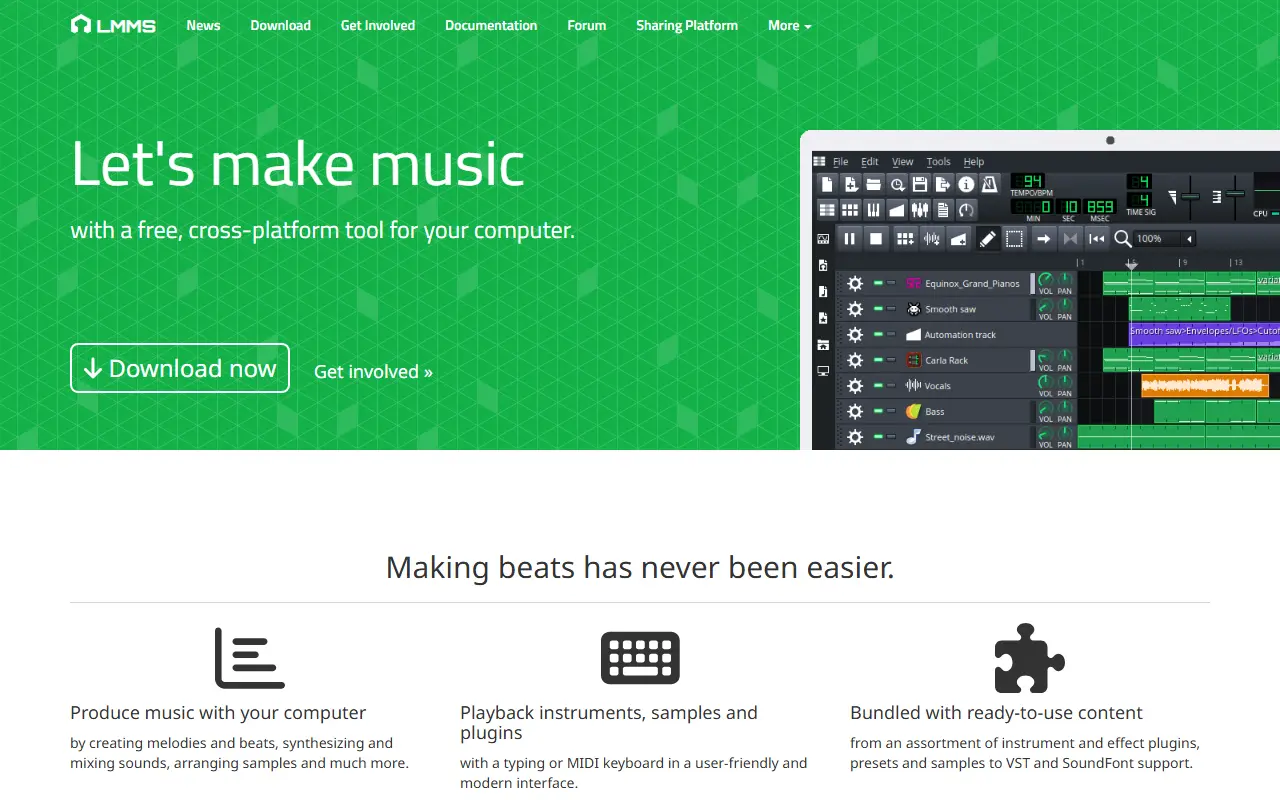
lmms.ioLMMS homepage screenshot

LMMS is an open-source, cross-platform digital audio workstation made for music production. It includes a Song Editor for arranging melodies, samples, patterns and automation, a Pattern Editor for beats, a Piano Roll for editing melodies, and a Mixer for combining tracks.

More than 15 synthesizer plugins come with it by default. The mixer offers an unlimited number of channels and effects, and automation can be user-defined or driven by computer-controlled sources. It works with many standards, including SoundFont2, VST2 instruments and effects, LADSPA, LV2 and GUS Patches, and it has full MIDI support with MIDI file import and export.

LMMS is written in C++ and licensed under GPL-2.0. The project provides a user manual, a showcase, a sharing platform, a developer wiki and internal documentation. Contributors are welcome to help with programming, artwork, testing and demo songs, and are asked to file an issue or ask on Discord before building a large feature.

Key features

  • Song Editor and Pattern Editor
  • Piano Roll for melodies
  • Mixer with unlimited channels and effects
  • Built-in synthesizer plugins
  • VST2, SoundFont2, LADSPA and LV2 support
  • MIDI file import and export

Pricing: Free and open source under the GPL-2.0 license.

Ardour

A free, open-source digital audio workstation for Windows, Linux and macOS, used to record, edit and mix audio and MIDI projects.

GitHub stars
5.4k
Last commit
yesterday
Self-hosted
Yes
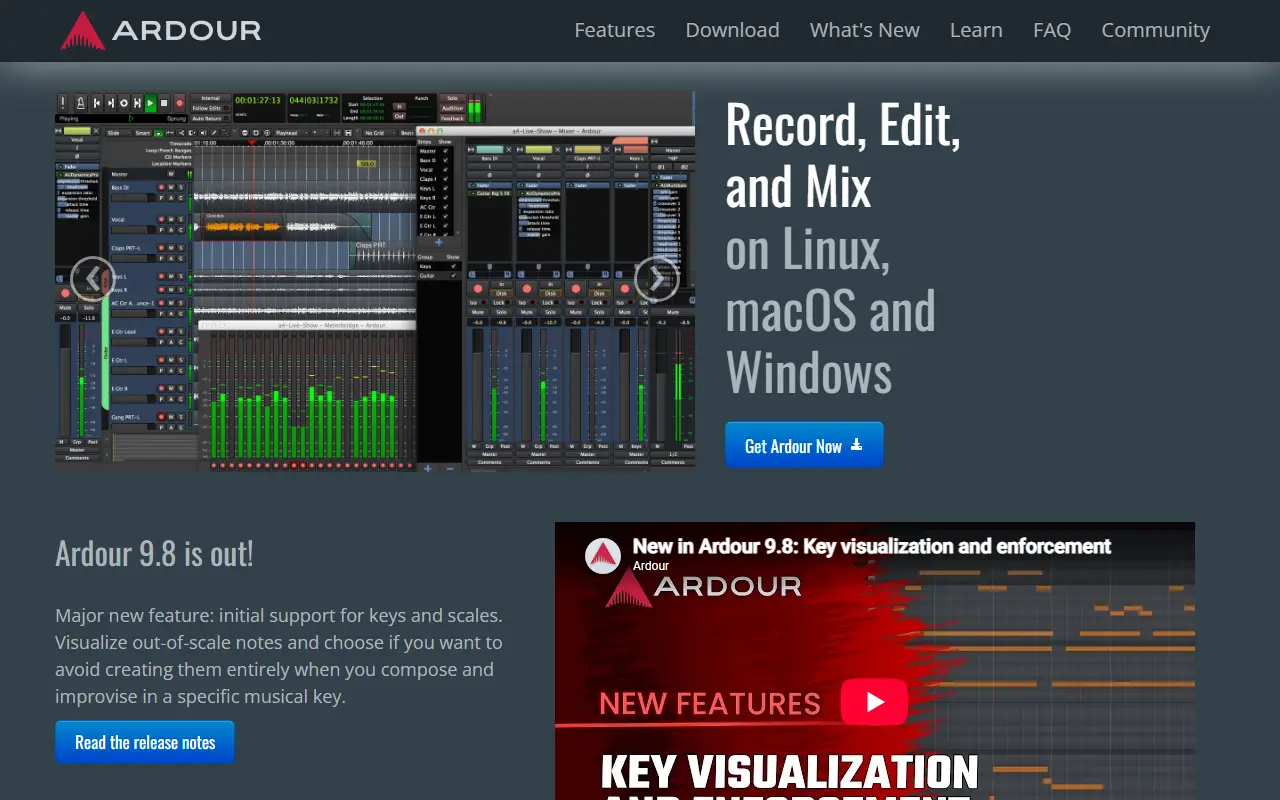
ardour.orgArdour homepage screenshot

Ardour is a digital audio workstation, free and open source, that runs on Windows, Linux and macOS. It is built for recording, editing, mixing and mastering audio and MIDI projects, from capturing vocals and live instruments to producing beats and preparing tracks for streaming.

Recording starts from an audio interface, microphone or keyboard, and material can be imported from a hard drive or the Freesound database. Editing tools include cutting, moving, stretching, trimming, crossfading, transposing and quantizing with unlimited undo and redo, while the mixer offers faders, automation, EQ, dynamics, sends, inserts and support for external control surfaces.

Its core audience is audio engineers who want full control of their tools for long sessions, along with musicians who record real instruments. Ardour supports plugin formats such as LV2 and VST and connects through JACK. It is written in C++, and the GitHub repository is a mirror of the project's source code.

Key features

  • Multitrack audio and MIDI recording
  • Editing with unlimited undo and redo
  • Mixer with automation, EQ and dynamics
  • LV2 and VST plugin support
  • JACK audio connectivity
  • External control surface support
  • Audio and MIDI import including Freesound

Pricing: Distributed as free, open-source software.

Zrythm

Zrythm is a digital audio workstation with intuitive editing, limitless automation, mixing capabilities, chord assistance, and support for major plugin formats.

GitHub stars
3.2k
Last commit
2 days ago
Latest release
v1.0.0
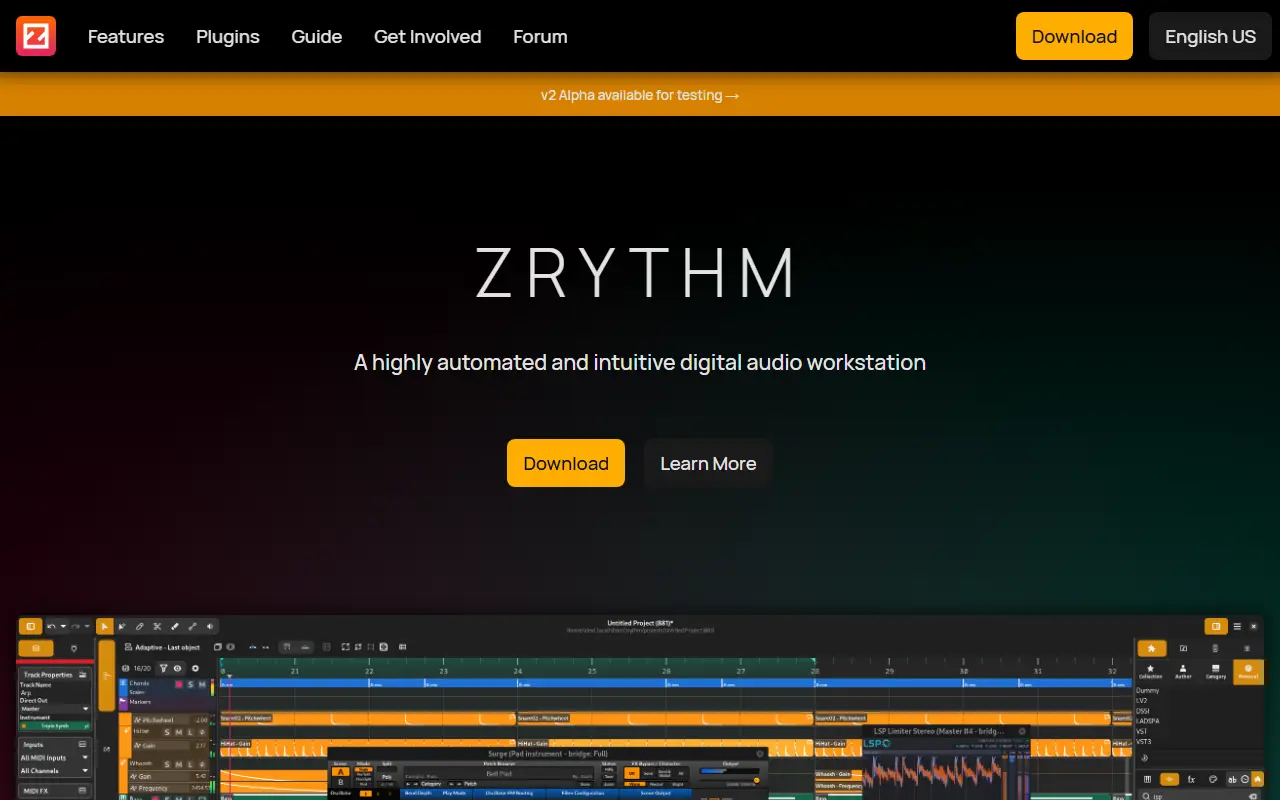
zrythm.orgZrythm homepage screenshot

Zrythm is a digital audio workstation designed to be featureful and easy to use. It provides intuitive editing tools for selecting, moving, resizing, cloning, linking, looping, deleting, and cutting objects, with adaptive snapping in every arranger.

It offers limitless automation with events using straight lines, ramps, curves, LFOs, and envelopes. The software includes mixing capabilities such as in-context listening, signal groups, FX tracks, MIDI effect and insert slots, pre and post-fader aux sends, and anywhere-to-anywhere routing.

Key features

  • Intuitive editing with a single tool or specialized tools and adaptive snapping
  • Limitless automation with straight lines, ramps, curves, LFOs, and envelopes
  • Mixing capabilities including signal groups, FX tracks, MIDI effect and insert slots, aux sends, and flexible routing
  • Chord assistance: generate chords from scales, audition and invert chords, save chord presets, manage chord progressions, and chord
  • Support for LV2, VST2, VST3, AU, CLAP, and JSFX plugins, plus SFZ and SF2 soundfonts with sandboxing via Carla
  • Featureful timeline with track lanes, bouncing to audio, import/export of audio and MIDI formats, stretching/looping regions, and various
  • Automatic project backups, undo for almost any action, and saving undo history with projects
  • Copyleft free software with auditable source code

Radium

Radium is an open source music editor and digital audio workstation that combines tracker-style editing with graphical editing and a piano roll.

GitHub stars
1.1k
Last commit
2 days ago
Licence
GPL-2.0
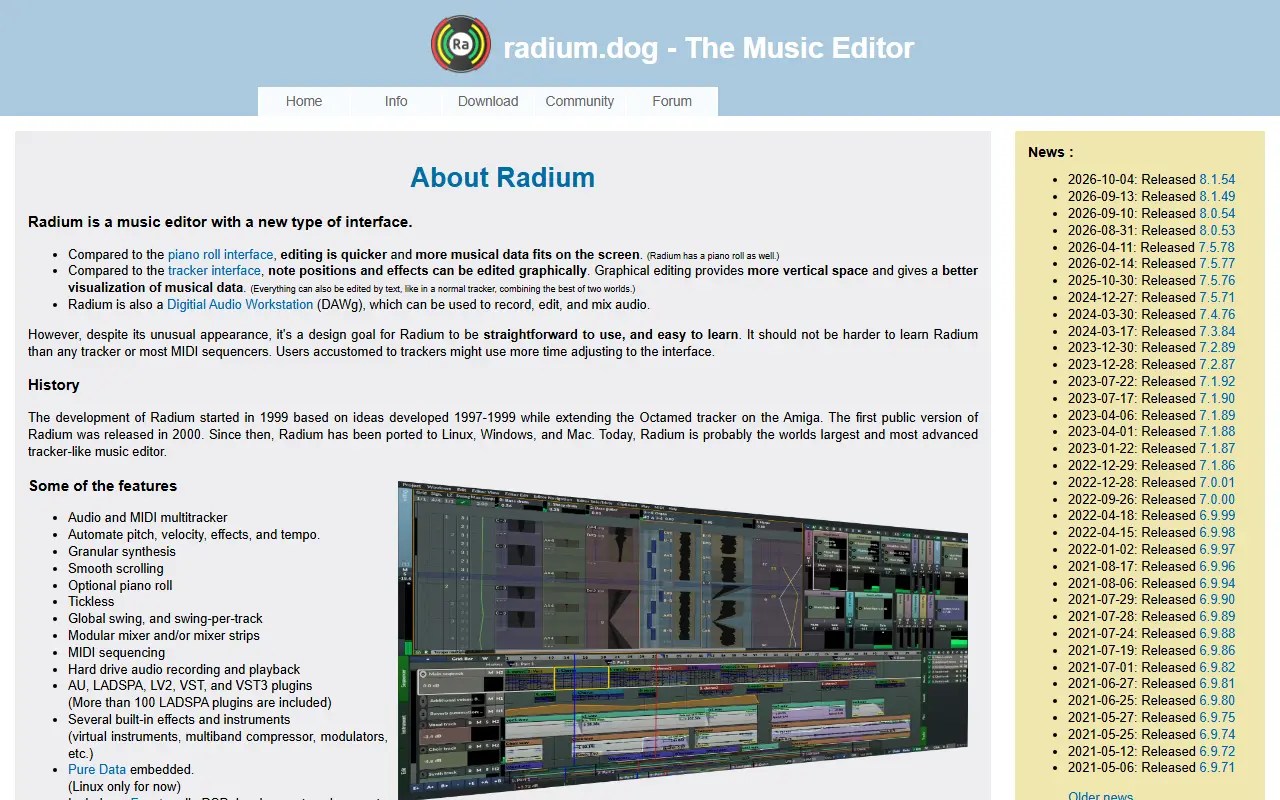
users.notam02.noRadium homepage screenshot

Radium is a music editor with its own style of interface. The site contrasts it with the piano roll, saying editing is quicker and more data fits on screen, and with trackers, where notes and effects can be edited graphically. Everything can still be edited by text, and a piano roll is available too.

It is also a digital audio workstation that can record, edit and mix audio, with audio and MIDI multitracking, a modular mixer, plugin delay compensation and support for AU, LADSPA, LV2, VST and VST3 plugins. Scripting is possible in Python or Scheme, and a Faust development environment is included.

Development began in 1999 and the first public version came out in 2000. It has since been ported to Linux, Windows and Mac. The download is open source under GPL-2.0, and the project releases updates frequently.

Key features

  • Tracker-like editor with a new interface type
  • Records, edits and mixes audio as a DAW
  • Audio and MIDI multitracking with automation
  • Supports AU, LADSPA, LV2, VST and VST3 plugins
  • Plugin delay compensation across the audio graph
  • Embedded Pure Data and Faust environment

Commercial REAPER alternatives

Hosted, closed-source products that compete with REAPER. Showing 12 of 26.

See every REAPER alternative on its tool page

REAPER alternatives: questions

What is the best open-source alternative to REAPER?
Audacity is the top-ranked open-source alternative to REAPER on Enlisted: Audacity is a free, open-source multi-track audio editor and recorder for Windows, macOS, GNU/Linux and other Unix-like systems. Other strong options are LMMS, Ardour, Zrythm and Radium.
What are the best commercial alternatives to REAPER?
Fender Studio Pro (Studio One), Steinberg Cubase, Cakewalk Sonar, GarageBand and Adobe Audition are among the hosted, closed-source alternatives to REAPER listed on Enlisted, which lists 26 in total. Compare their pricing and features on each tool page.
Are these REAPER alternatives free?
All 5 are open source, so the code is free to use under its licence, and all of them can be self-hosted on your own server or computer.
How is this list of REAPER alternatives ranked?
By a score built from GitHub stars, star growth over the last 30 days and how recently the code changed. 5 of these projects shipped code in the last 30 days. Data is refreshed daily, and nobody can pay to move up.

People also look for alternatives to…

View all