 TrackMedia
 TrackRev
About NinjaMock
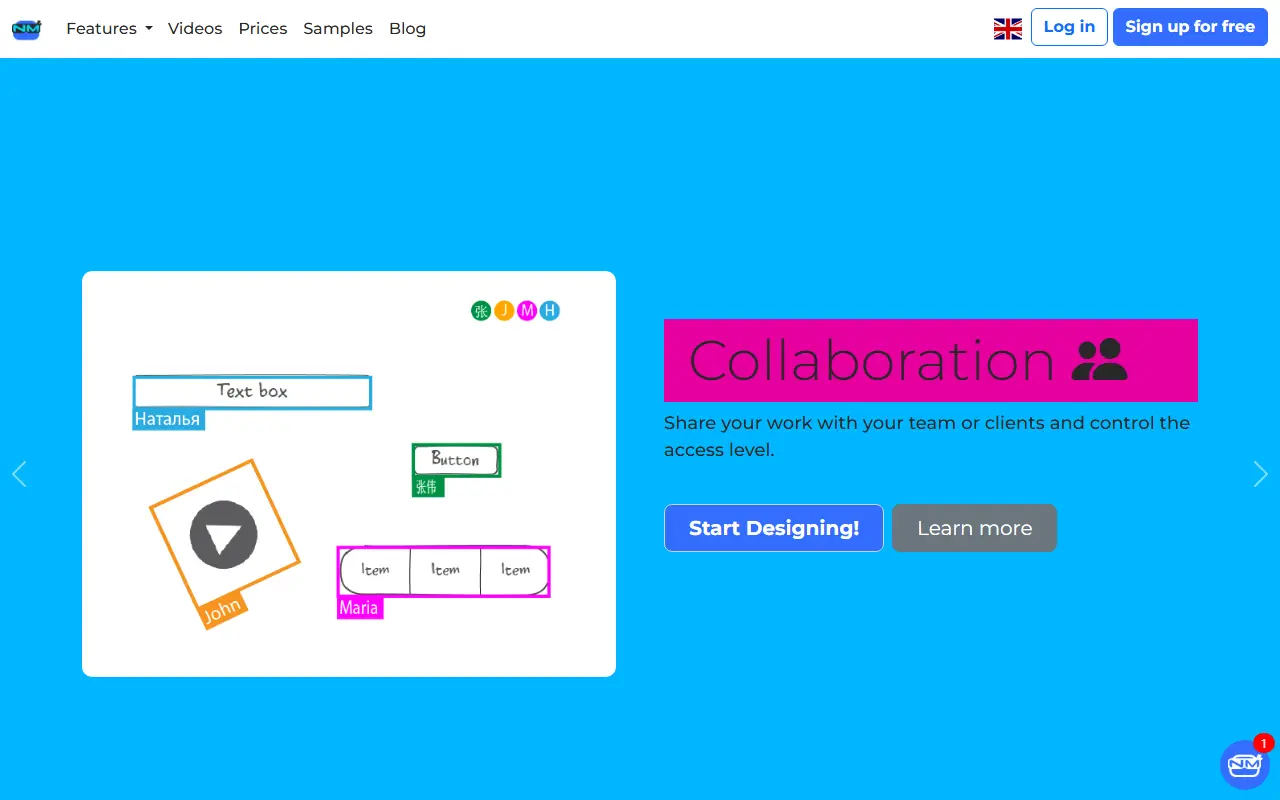
NinjaMock is a browser-based wireframe and mockup tool. Designers sketch an idea, present it as an interactive prototype and invite people to try it on their own device to give feedback. Designs can be low or high fidelity, and the sketch look can be switched on or off at any time.
Components cover typical mobile and web patterns for iOS, Android, Windows and the web, and prototypes can target a website, smartphone, tablet, smartwatch, smart TV or game app. Other listed features include a vector editor, revision history snapshots, access control for projects and folders, commenting, translation of a component or page, and video playback from YouTube, Vimeo, Dailymotion or Rumble, or as MP4, WEBM and OGG files.
Finished work can be exported to PNG, HTML or PDF. The pricing page shows a free Starter plan, a Professional plan, and an Enterprise plan with custom pricing billed annually, and says students and educators can use it free. The interface is offered in more than a dozen languages.
Key features
- Share projects and control access level
- Export to PNG, HTML or PDF
- Translate a component or a whole page
- Revision history snapshots at any time
- Low or high fidelity design modes
- Embed video from several hosts in prototypes
Good fit for
- Wireframing app screens
- Clickable prototypes for testing
- Client design reviews
- Teaching UI design
NinjaMock: questions and answers
- What is NinjaMock used for?
- NinjaMock is an online wireframing, mockup and prototyping tool with real-time collaboration, a component library and export to PNG, HTML or PDF. It is a good fit for wireframing app screens, clickable prototypes for testing and client design reviews.
- Is NinjaMock open source?
- No. NinjaMock is proprietary (closed-source) software. In the Design category, open-source options include Penpot, Pencil and Graphite.
- What are some alternatives to NinjaMock?
- NinjaMock competes with Balsamiq.
Open-source alternatives to NinjaMock
See all
Penpot
Design
Penpot: The open-source design platform for Product teams that need scalable collaboration
MPL-2.0vs Figma★ 62k
Pencil
Design
The Pencil Project's unique mission is to build a free and opensource tool for making diag
GPL-2.0vs Uizard★ 9.9k
Graphite
Design
Community-built comprehensive 2D content creation appplication for graphic design, digital
Apache-2.0vs Affinity★ 28k
Liquid Logo
Design
Turn your logo into liquid metal with Paper Shaders
OSS★ 1.4k
Synfig Studio
Design
This is the Official source code repository of Synfig Studio animation software
GPL-3.0vs Adobe After Effects★ 2.4k
vue-fabric-editor
Design
快图设计-基于fabric.js和Vue的开源图片编辑器,可自定义字体、素材、设计模板。fabric.js and Vue based image editor, can cust
MITvs Photopea★ 8k
SaaS alternatives to NinjaMock
See all
Balsamiq
Design
Low-fidelity wireframing tool with a sketch look
SaaS
Justinmind
Design
Prototyping and wireframing tool for web and mobile apps
SaaS
Moqups
Design
Wireframing, prototyping and diagram tool in the browser
SaaS
FlowMapp
Design
Website planning tool for sitemaps, user flows and wireframes
SaaS
Marvel
Design
Browser-based design, prototyping and user testing platform for digital products
SaaS
MasterGo
Design
Browser-based UI design and prototyping tool for product teams
SaaS