 TrackMedia
 TrackRev
About Glisp
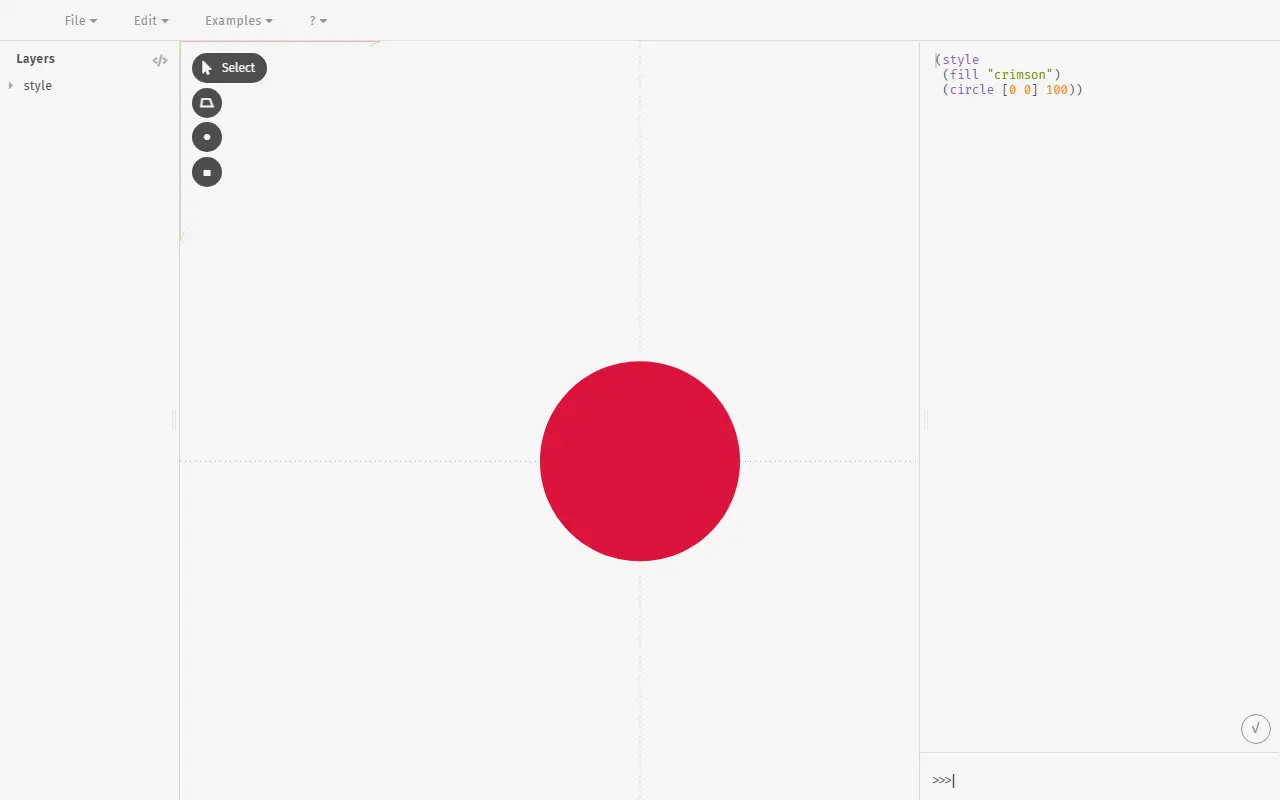
Glisp, short for Graphical LISP, is an experimental design tool by Baku Hashimoto. The README describes it as a prototype of what happens when a design tool meets creative coding, and compares it at a glance to Illustrator combined with the Processing IDE. It is MIT licensed and written in TypeScript.
A Glisp project file is written in a customised dialect of Lisp. Because Lisp treats code as data, the file is both the program that generates the output and a tree representing a list of SVG-like shapes. Much of the app's built-in functionality is implemented in the same syntax as project files, so users can reshape the tool for graphic design, illustration, generative art or flow charts.
The author calls this approach purpose-agnostic, in contrast to design tools optimised for one genre such as print or app UI. There is a browser demo that works in Chrome only, documentation in English and Japanese, and an Electron build for development.
The README doubles as a wish list, with planned work on layer views, a timeline, video export and non-mouse input, so many of these ideas are not yet implemented.
Key features
- Project files written as a customised Lisp dialect
- Project file is itself the program that produces the output
- Direct manipulation through a graphical interface plus code
- Built-in features written in the same syntax users can edit
- Browser demo and documentation in English and Japanese
- Electron app can be built for development
Good fit for
- Generative art
- Illustration
- Experimenting with programmable design tools
- Drawing flow charts
Glisp: questions and answers
- What is Glisp used for?
- Glisp is a lisp-based design tool that mixes direct manipulation of shapes with creative coding, where the project file itself is a Lisp program. It is a good fit for generative art, illustration and experimenting with programmable design tools.
- Is Glisp open source?
- Yes. Glisp is open source under the MIT licence. Its source code is on GitHub at baku89/glisp and is written mainly in TypeScript.
- Is Glisp free?
- Yes. Glisp is open source, so the software itself is free to use.
- Can I self-host Glisp?
- Yes. Glisp can be self-hosted on your own server or infrastructure.
- What are some alternatives to Glisp?
- Similar open-source tools in the Design category include OpenPencil, Doop and Penpot. SaaS products in the same category include Bilgu, Creative Market and GlyPho.
- Is Glisp actively maintained?
- Yes. The most recent commit to Glisp was on 11 November 2026. The project has 1.2k stars on GitHub, with 16 added in the last 30 days.
Open-source alternatives to Glisp
See all
OpenPencil
Design
Generate complete, multi-screen product interfaces on a live canvas. Refine every layer wi
MITvs Figma★ 7.2k
Doop
Design
The open-source alternative to Paper.design. A multiplayer design canvas where humans and
AGPL-3.0vs Figma★ 2k
Penpot
Design
Penpot: The open-source design platform for Product teams that need scalable collaboration
MPL-2.0vs Figma★ 62k
Graphite
Design
Community-built comprehensive 2D content creation appplication for graphic design, digital
Apache-2.0vs Affinity★ 28k
Krita
Design
Krita is a free and open source cross-platform application that offers an end-to-end solut
GPL-3.0vs Adobe Photoshop★ 11k
Liquid Logo
Design
Turn your logo into liquid metal with Paper Shaders
OSS★ 1.4k
SaaS alternatives to Glisp
See all
Bilgu
Design
Suite of tools for entrepreneurs, including Figma plugins for AI logo design and raster-to-SVG conversion
SaaS
Creative Market
Design
Marketplace for design assets such as fonts, templates, graphics and photos
SaaS
GlyPho
Design
Creates consistent, editable SVG icon sets, logos, illustrations and UI assets from prompts
SaaS
IconShelf
Design
Icon search tool for finding the right icon quickly
SaaS
illustration.app
Design
Generates custom, consistent vector illustrations from prompts
SaaS
Illustro
Design
Generates vector, line-art, 3D and children's-book illustrations as single images or consistent packs, with SVG export
SaaS